Stealer
App that mirrors your system audio to a second output device in real time.
What it does
Stealer steals your audio. Whatever Windows is playing, it grabs it on the fly and sends a copy to a second device, while the first one keeps playing as if nothing happened. That's where the name comes from.
And it does it without asking you for anything. No virtual audio cables, no drivers to install, no sound settings to dig through: open it, pick the second device, press start. Two Bluetooth headsets on the same film, wireless speakers next to the TV, a headset that has to hear what the speakers are playing: it's plug and play, in a small modern window that shows you exactly what's going where.
Close it, and your system is exactly how you left it. Stealer never touched it.
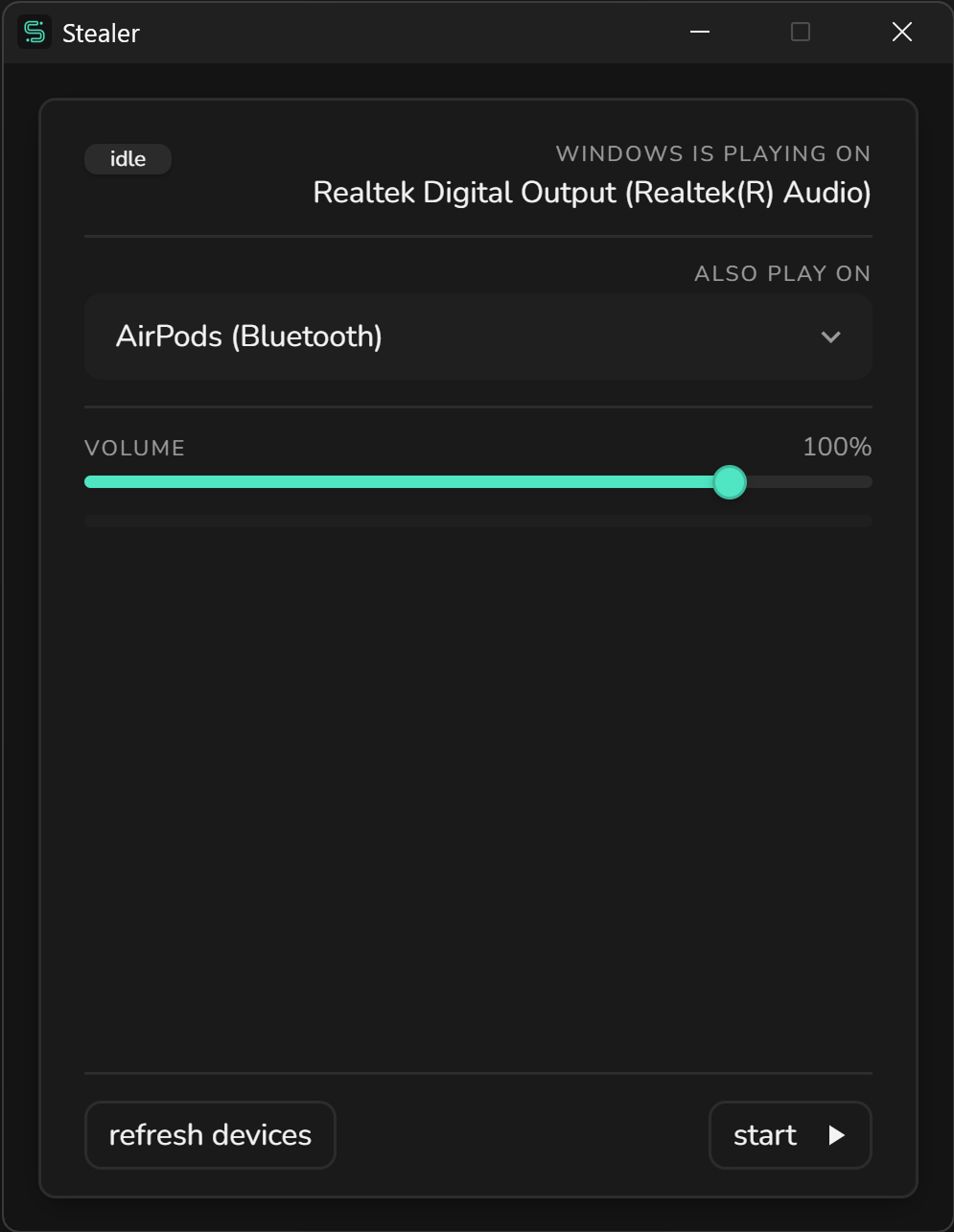
Using it
Pick the second device, press start. That's the whole learning curve. Stealer shows you where Windows is already playing, so you always know which device is the original and which one gets the copy.
Then it stays out of the way. It doesn't change your default device, it doesn't touch the system volume, it doesn't ask you to set anything up again next time. The few extras are there when you need them:
- Its own volume. The copy has a separate slider, up to 120% for the device that just doesn't keep up. A double click puts it back to 100%.
- A live meter. You can see the sound going out, so a silent device is never a mystery.
- Switch on the fly. Change the second device while it's running, and the audio follows without stopping.
- Remembers you. Device and volume are saved: next time it's open, start and go.
- Plug and play. Connect a headset or pair a speaker, and it shows up in the list on its own.
Good to know
A few things Stealer keeps an eye on for you, so you don't have to:
- No echo. Sending the copy to the device Windows is already using would play the same sound twice, a hair out of sync. Stealer tells you, and keeps
startoff until you choose another output. - Stereo, not Hands-Free. Bluetooth headsets often appear twice. The
Hands-Freeone is mono, phone-call quality, and it sounds like it: pick theStereoone. If you grab the wrong one, Stealer points it out. - When Windows stops the capture. Stealer goes back to
idleand tells you why, instead of looking active while nothing comes out.
Under the hood it's a React app packaged for the desktop with Electron, and it's built with the same pieces I document here: margo-ui for the interface, react-graft for its state, react-renderable for the conditional rendering and react-scrim for the splash screen.